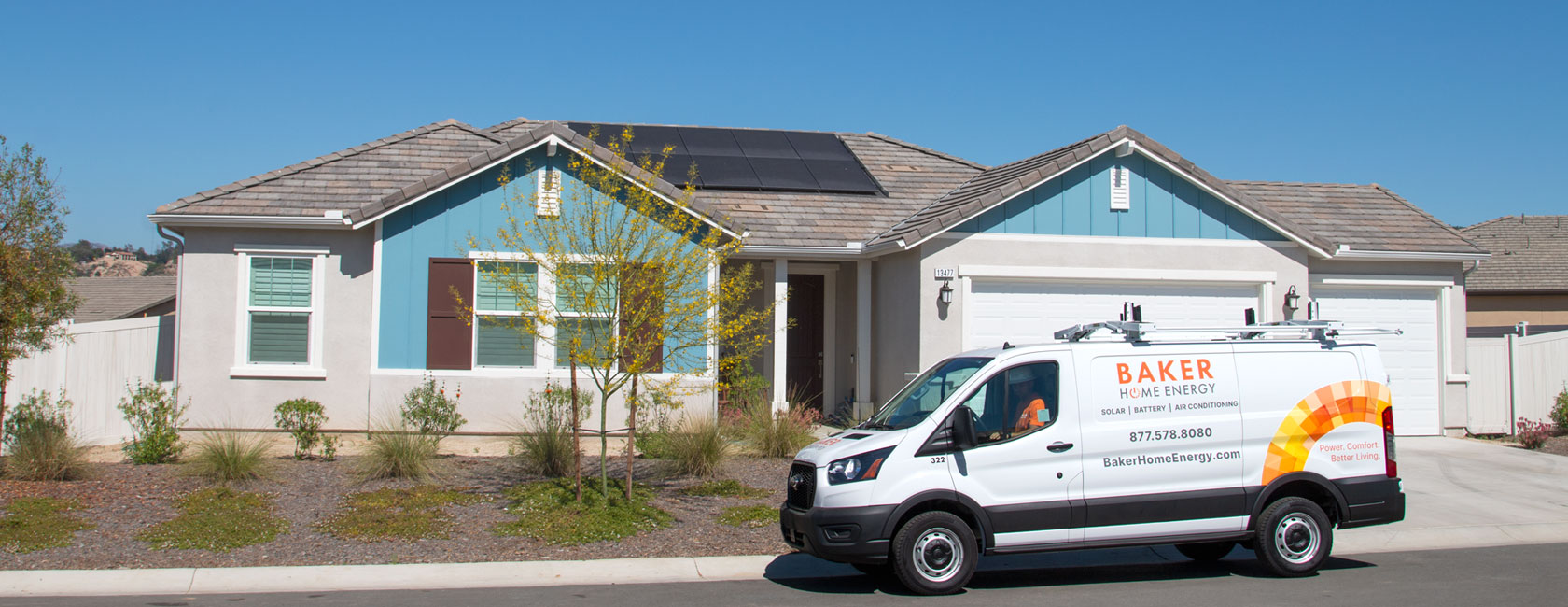
Watch the videos below to learn how to create your password, login, navigate and use your customer portal to track the progress of your solar system installation.
How to Access and Navigate Your Baker Home Energy Customer Portal
Congratulations on starting your journey, towards Energy Independence. To help you along your way we have created a portal for you to keep up to date on your project status.
The videos found in the links below will help you create and login to this customer portal. Please note, there are two video to guides available to you. The second video goes through all the amazing benefits this portal has to help keep your project on track!
To create your login, go to the email inbox that is associated with your project. You should have received an email with a link to set up your account and password. Click this link to set your password. We suggest bookmarking the customer portal for ease of access.
If you cannot find this email, make sure to check your spam or junk email folder. If you are still having difficulty finding the link, go to the Portal Login button below.
The link that is sent to your email is specific to your account. If you do go to the portal without using the link from your email, click the ‘forgot password’ link. Enter your email address as the login and then follow the instructions that will be sent to your login email address.
Most users will not have to do this. The email link sent in your email will lead you to the login page. However, if you are still having issues contact customer care at 877.578.8080.
Part 2 – Using your Portal Account
Great job! You have created your login and password for the Baker Home Energy customer portal. If this sounds unfamiliar to you, please refer back to the video on how to create and login to the customer portal.
If you have successfully done this let’s walk through all the amazing features the portal offers.
On the login homepage, your project will be listed below the welcome message.
To access the status of your project:
You can click on the project you see listed,
The My Projects button on the right side of the screen. Or,
The Project Summaries Tab, located at the top of the screen.
Click on your project to get more information. At the top of the screen are the details of your project starting with your project number, your address, and your last name. If any of these details are incorrect, contact Customer Care immediately at 877.578.8080.
The project tracker timeline will show you an up-to-date status of where you are on the 8 steps to Solar. As you move along your timeline the ‘Project Stage Description’, ‘What you are Responsible for‘ and the ‘What’s Next‘ sections will be updated with all the information you need to stay informed.
The Project Team section will show your Project Lead. This individual will be your main point of contact should you have any questions.
Before you reach out to your Project Lead with a question, we have compiled a list of frequently asked questions and their answers for you to review. These are available for you on the homepage. Additionally, the ‘Topics‘ portion of the portal will have up-to-date articles that will give you more specific information on these commonly discussed topics.
If you have further questions, click on the ‘New Chat‘ button or the ‘New‘ button at the bottom of the page. Enter your subject and your message and then press send.
We suggest making each chat specific to one topic. For example, if you have two questions, one about your Time of Use rate and another about your financing options, create your first chat with the subject, “TOU rate” and type in your message below. Then click, ‘Save and New’. In the new chat window subject line type, “Project financing” and in the message enter your question. After hitting save, you will see your new chats saved below waiting for a response from your project lead.
Below the chat section you will find any open issues on your project. Track the status of your project issues here. After the project issue has been resolved it will automatically be removed from this list.

baker solar, baker portal, baker home energy
Welcome to the Baker Home Energy Customer Portal
The Baker Home Energy Customer Portal is designed to provide our clients with a seamless experience in managing their energy solutions. From tracking solar system installations to accessing valuable resources, the portal serves as your one-stop destination for all project-related information.
As a user, you can easily navigate through various sections to find updates on your projects, manage your account settings, and connect with our customer support team. Our goal is to empower you with the tools needed for effective energy management and to enhance your overall experience with Baker Home Energy.
Benefits of Using the Customer Portal
The Baker Home Energy Customer Portal offers numerous advantages that enhance user experience and project management. By utilizing the portal, customers can conveniently track the progress of their solar system installations, access important documents, and receive timely updates about their projects.
Additionally, the portal includes features such as a dedicated support chat, FAQs, and resources that help users make informed decisions regarding their energy solutions. This holistic approach ensures that customers feel supported and informed throughout their energy journey.
Getting Help with Your Customer Portal
If you encounter any issues while using the Baker Home Energy Customer Portal, our dedicated customer care team is ready to assist you. You can reach out via phone or utilize the chat feature within the portal for immediate support.
Whether you have questions about account setup, project status, or technical difficulties, our knowledgeable staff is available to provide guidance and resolve your concerns efficiently. We strive to ensure that your experience with our portal is as smooth as possible.
Frequently Asked Questions (FAQs)
To enhance your understanding of the Baker Home Energy Customer Portal, we have compiled a list of frequently asked questions. These FAQs cover common inquiries regarding account management, project tracking, and portal features, helping users find quick answers to their concerns.
By addressing these questions, we aim to minimize confusion and empower our customers with the knowledge needed to utilize the portal effectively. If your question is not covered in the FAQs, please feel free to reach out to our customer support team for personalized assistance.
baker solar, baker portal, baker home energy
Welcome to the Baker Home Energy Customer Portal
The Baker Home Energy Customer Portal is designed to provide our clients with a seamless experience in managing their energy solutions. From tracking solar system installations to accessing valuable resources, the portal serves as your one-stop destination for all project-related information.
As a user, you can easily navigate through various sections to find updates on your projects, manage your account settings, and connect with our customer support team. Our goal is to empower you with the tools needed for effective energy management and to enhance your overall experience with Baker Home Energy.
Benefits of Using the Customer Portal
The Baker Home Energy Customer Portal offers numerous advantages that enhance user experience and project management. By utilizing the portal, customers can conveniently track the progress of their solar system installations, access important documents, and receive timely updates about their projects.
Additionally, the portal includes features such as a dedicated support chat, FAQs, and resources that help users make informed decisions regarding their energy solutions. This holistic approach ensures that customers feel supported and informed throughout their energy journey.
Getting Help with Your Customer Portal
If you encounter any issues while using the Baker Home Energy Customer Portal, our dedicated customer care team is ready to assist you. You can reach out via phone or utilize the chat feature within the portal for immediate support.
Whether you have questions about account setup, project status, or technical difficulties, our knowledgeable staff is available to provide guidance and resolve your concerns efficiently. We strive to ensure that your experience with our portal is as smooth as possible.
Frequently Asked Questions (FAQs)
To enhance your understanding of the Baker Home Energy Customer Portal, we have compiled a list of frequently asked questions. These FAQs cover common inquiries regarding account management, project tracking, and portal features, helping users find quick answers to their concerns.
By addressing these questions, we aim to minimize confusion and empower our customers with the knowledge needed to utilize the portal effectively. If your question is not covered in the FAQs, please feel free to reach out to our customer support team for personalized assistance.